DiscordSynthesis

Bridge Your Discord & Minecraft Worlds Together

The absolute best bidirectional Discord-Minecraft integration plugin. Chat sync, account linking, role management, proximity voice, and 20+ features — all in one.

Everything You Need,
Built Right In

A modular powerhouse with 20+ features, each designed to seamlessly bridge your Discord and Minecraft communities.

Chat Synchronization

Bidirectional chat with webhooks, embeds, markdown translation, mentions, emoji support, and reply threading.

Account Linking

Cryptographically secure verification codes with required linking, role checks, and link/unlink rewards.

Authorization

Control server access with Discord role requirements, interactive Allow/Deny buttons, and blacklist enforcement.

Role Synchronization

Bidirectional group/role sync with authority modes, nickname sync, and periodic resync for consistency.

Console Control

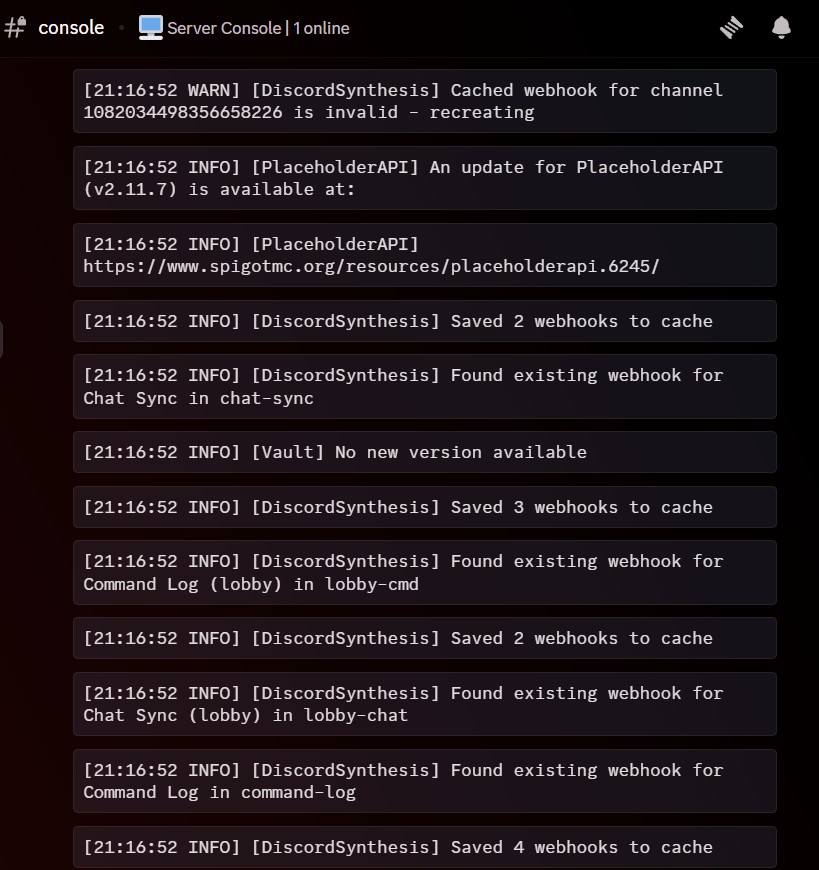
Execute server commands from Discord with role-based permissions, whitelist/blacklist filtering, and audit logging.

Voice Proximity

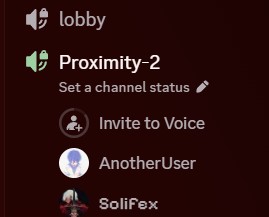
Location-based voice channels that group nearby players automatically with dynamic channel creation.

Interactive Chat

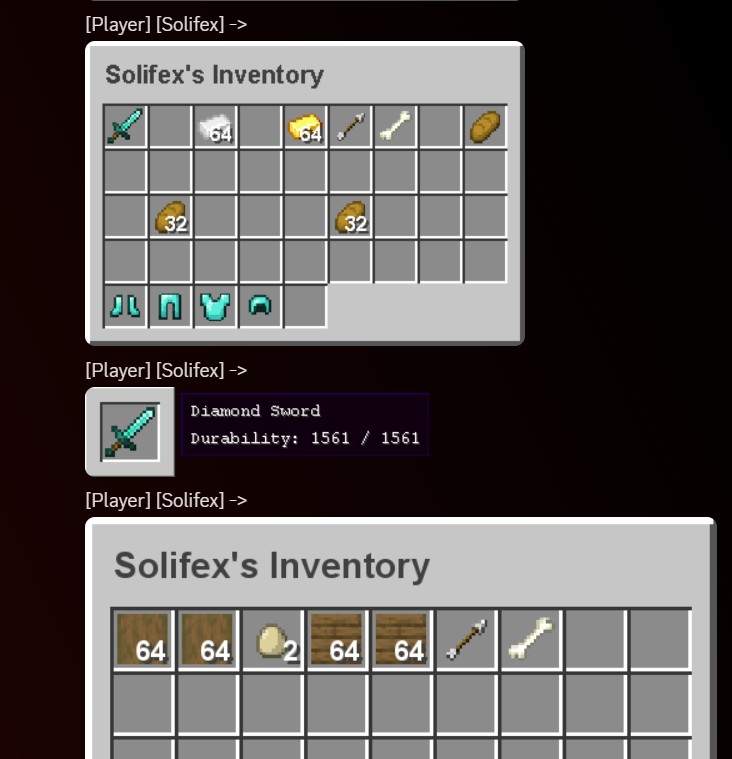
Share items, inventories, and ender chests as rendered images in Discord with enchantment glints and tooltips.

Statistics & Rewards

Track player activity with message counts, voice minutes, and reward milestones for Discord engagement.

Ban Synchronization

Bidirectional ban sync with authority modes, staff notifications, role-based bans, and full ban history.

Seamless Chat Sync

Messages flow naturally between Minecraft and Discord — with webhooks, player avatars, formatting translation, and reply support.

Minecraft Discord

Minecraft to Discord chat sync

Minecraft → Discord

Player messages appear in Discord with webhook avatars, rank prefixes, and full formatting. Supports SkinsRestorer for custom player skins.

Discord Minecraft

Discord to Minecraft chat sync

Discord → Minecraft

Discord messages show in-game with rank colors, role names, and markdown translation. Bold, italic, underline all converted automatically.

Reply Threading

Reply support in chat sync

Reply Support

Discord message replies are displayed in Minecraft with the original sender's name, creating natural conversation threads across platforms.


Account Linking & Auth

Secure verification codes, role-based authorization, and interactive Allow/Deny buttons — all managed through Discord DMs.

Secure Account Linking

Players use Discord's /connect command to receive a cryptographically secure verification code, then enter it in Minecraft with /connect <code>. Supports link/unlink rewards to incentivize verification.

  • Cryptographically secure codes
  • Required linking mode
  • Link & unlink reward commands
  • UUID ↔ Discord ID mapping
Account linking process

Interactive Authorization

When a player joins, the system verifies their Discord roles. If unauthorized, their Discord account receives a DM with interactive Allow and Deny buttons for instant access control.

  • Role requirement checks (ALL / ANY / NONE)
  • Interactive Discord DM buttons
  • Blacklisted role enforcement
  • Potion effects for unauthorized players
Authorization system

Interactive Item Sharing

Share your items, inventories, and ender chests as beautifully rendered images — complete with enchantment glints, durability bars, and tooltips.

Interactive chat - item and inventory sharing
📦

[item] Placeholder

Share your held item with tooltip details

🎒

[inv] Placeholder

Display your full inventory as a rendered image

💎

[enderchest] Placeholder

Show your ender chest contents to others

Enchantment Glint

Rendered with glowing enchantment effects

Voice proximity channels

Voice Proximity Chat

Players in the same area are automatically grouped into voice channels. Walk away and you're moved apart. Dynamic channel creation and cleanup — feels like spatial audio powered by Discord.

Console control from Discord

Remote Console

Execute server commands directly from Discord with full security controls. Whitelist or blacklist commands, restrict by role, and log every action to an audit channel.

Powerful Admin Panel

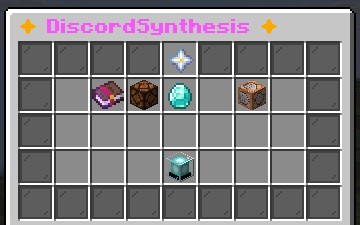
Manage everything from inside Minecraft with intuitive GUI screens — toggle modules, manage players, view statistics, and handle reports.

Admin panel main hub

Admin Hub

Central control panel with access to all management screens

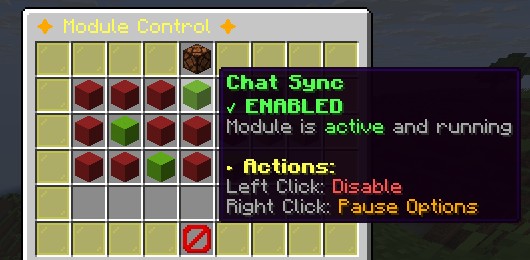
Module control

Module Control

Enable, disable, or pause any module in real-time

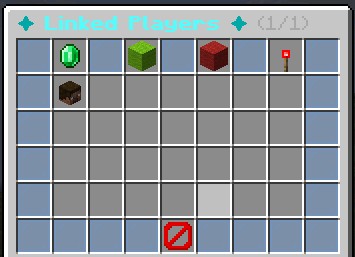
Player management

Player Management

View linked players, filter by status, search and manage accounts

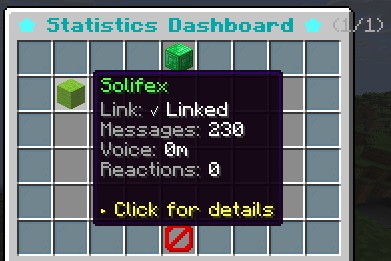
Statistics dashboard

Statistics Dashboard

Track messages, voice time, reactions, and link status per player

Full Reporting System

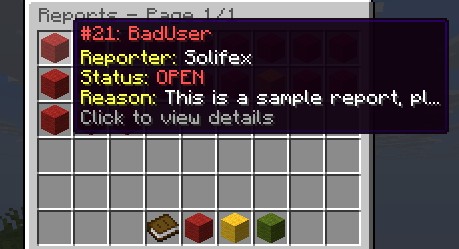
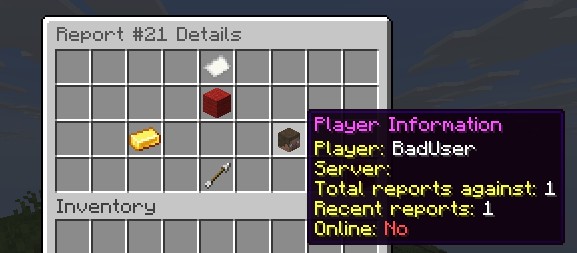
Players can report rule violations with /report. Staff members manage reports through an in-game GUI with claiming, resolving, commenting, and teleportation to the report location.

  • Report lifecycle: NEW → CLAIMED → RESOLVED
  • Rate limiting to prevent spam
  • Discord notifications to staff
  • Teleport to report location
  • Full report history & commenting
Reports GUI
Report details

Every Detail Covered

🔔

Event Notifications

Join/leave, deaths, advancements, server switches — all logged to Discord.

📢

Broadcasting

Send announcements to both Minecraft and Discord simultaneously with title messages.

🐛

Bug Reporting

Players report bugs directly to Discord with /reportbug for fast staff response.

🤖

Bot Presence

Custom bot status with PLAYING, WATCHING, LISTENING activities and dynamic placeholders.

📊

Live Statistics

Dynamic Discord channel names showing player count, unique players, and custom stats.

🔒

Security First

Rate limiting, audit logging, command filtering, secure verification — built from the ground up.

Runs Everywhere

One plugin, three platforms. Full support across the Minecraft server ecosystem.

Spigot

Full feature support including Voice Proximity, Advancements, Interactive Chat, and all GUI systems.

Full Support
🔗

BungeeCord

Cross-server messaging, server switch tracking, and proxy-mode relay. All core features supported.

Core Features
🚀

Velocity

Modern proxy with better performance and security. Same feature set as BungeeCord with improved internals.

Core Features

Works With Your Favorite Plugins

LuckPerms Vault EssentialsX SkinsRestorer VentureChat ChatControl DeluxeChat PermissionsEx GroupManager CMI Chat HeroChat TownyChat LuckPerms Vault EssentialsX SkinsRestorer VentureChat ChatControl DeluxeChat PermissionsEx GroupManager CMI Chat HeroChat TownyChat

Ready to Synthesize?

Join the servers already bridging their Discord and Minecraft communities with DiscordSynthesis.